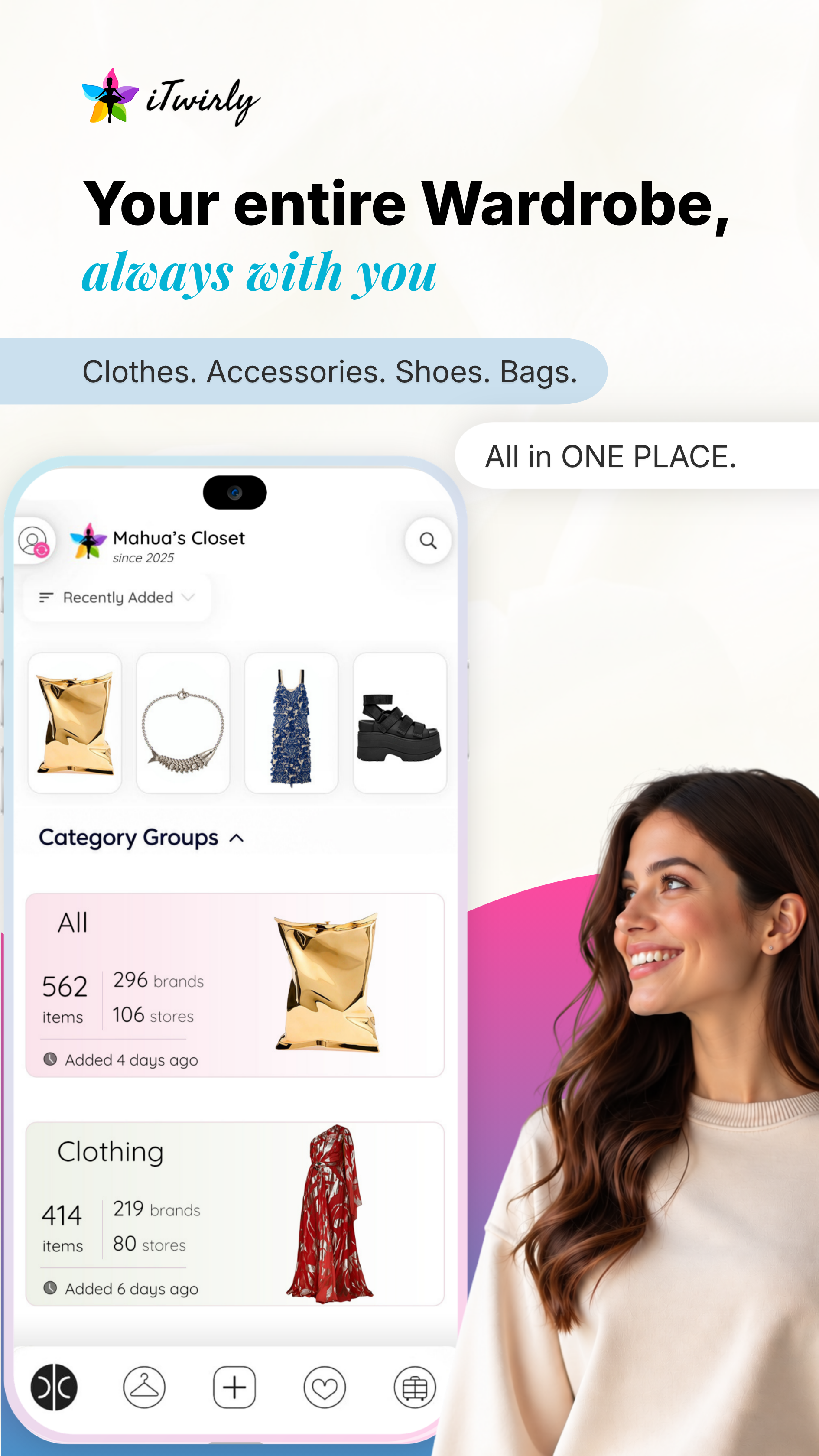
Snap a photo, add from online orders, or use an online extension link — iTwirly automatically catalogs your clothes & accessories, so you can search, plan outfits, and pack your suitcase without digging through your closet.
iTwirly is a digital closet app that catalogues, organizes, and styles your real wardrobe. Add clothes by photo, email receipt, or browser extension. Then search your closet instantly, build outfits in a virtual fitting room, and generate a smart packing list for trips — all from clothes you already own.
Your real closet may be messy — but iTwirly shows it to you in a whole new light. Discover new possibilities in the clothes you already own.
iTwirly automatically tags, sorts, and color-codes every item the moment you add it — no manual data entry.
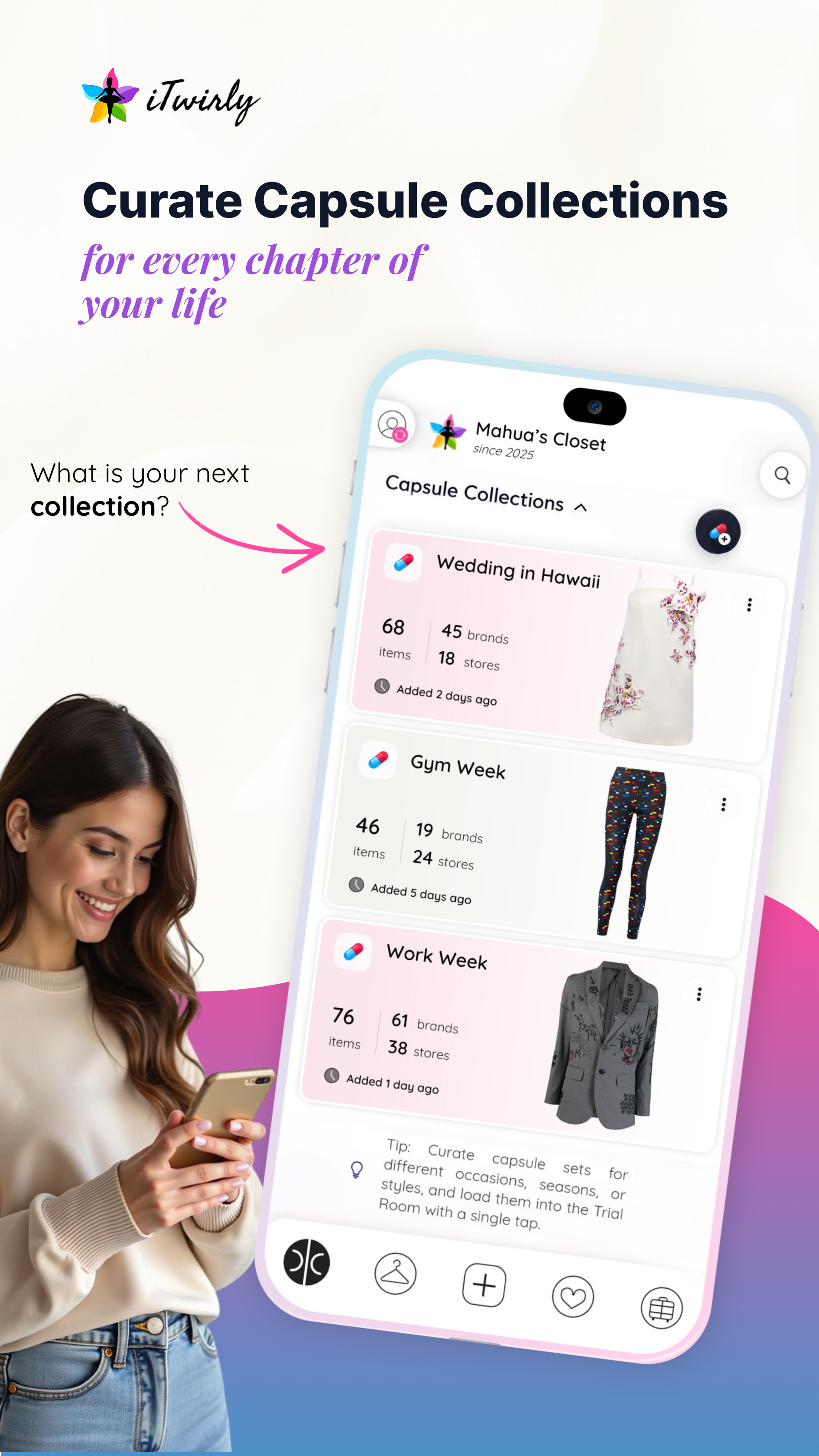
Create a small set of outfits that mix and match for any trip, using clothes you already own.
Search your entire wardrobe by color, type, or occasion — even items stored away in the attic.
The iTwirly flow in four simple steps — from the moment an item enters your closet to the moment you zip your suitcase.
Via email, Chrome extension, or photo upload. Magic Wardrobe AI handles the tagging instantly.
Use context-sensitive search and custom tags. "Blue midi dress" or "interview look" — it finds it in seconds.
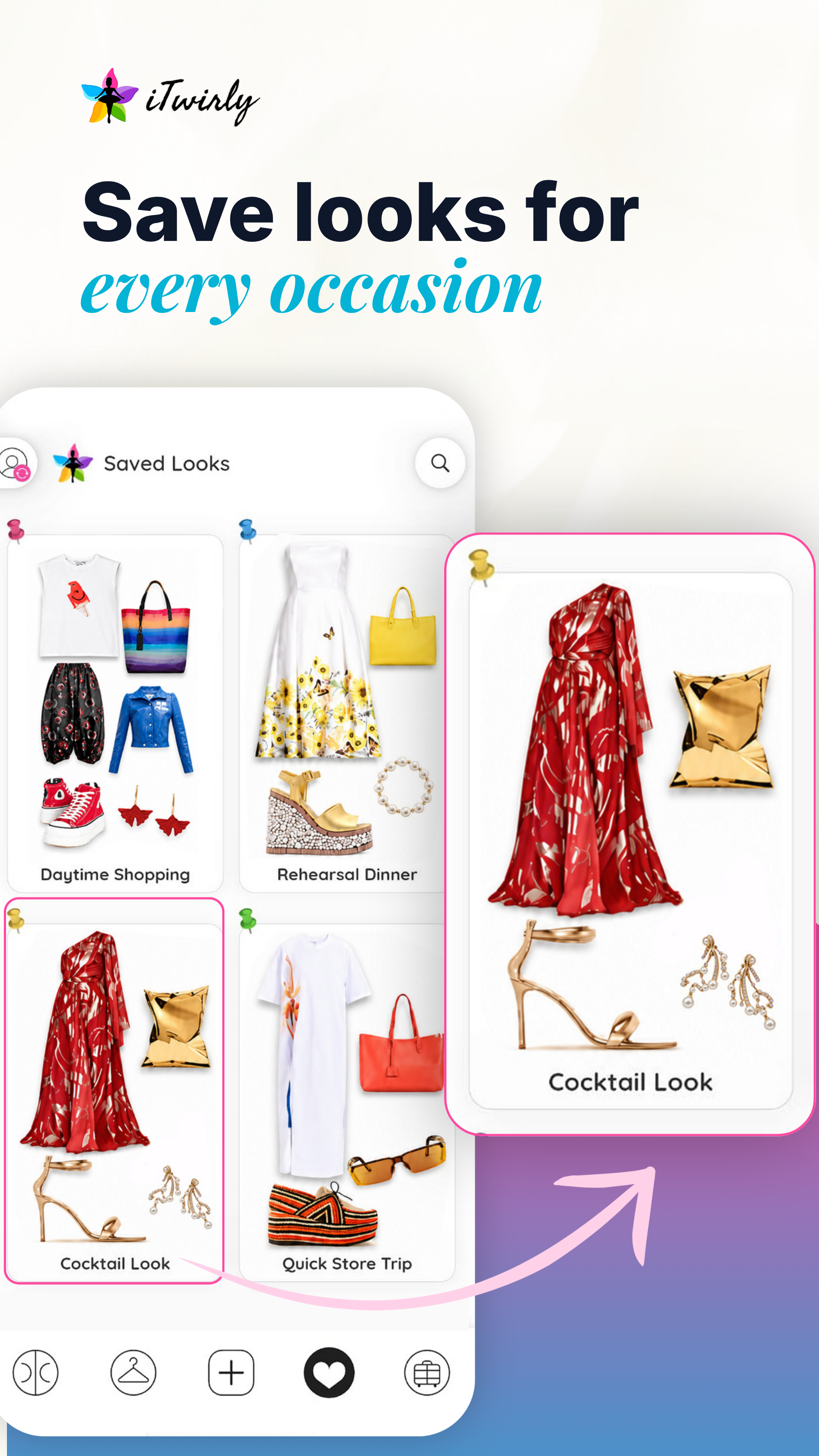
Mix and match items digitally. When a look is perfect, save it with a tag — "rehearsal dinner" or "next Monday".
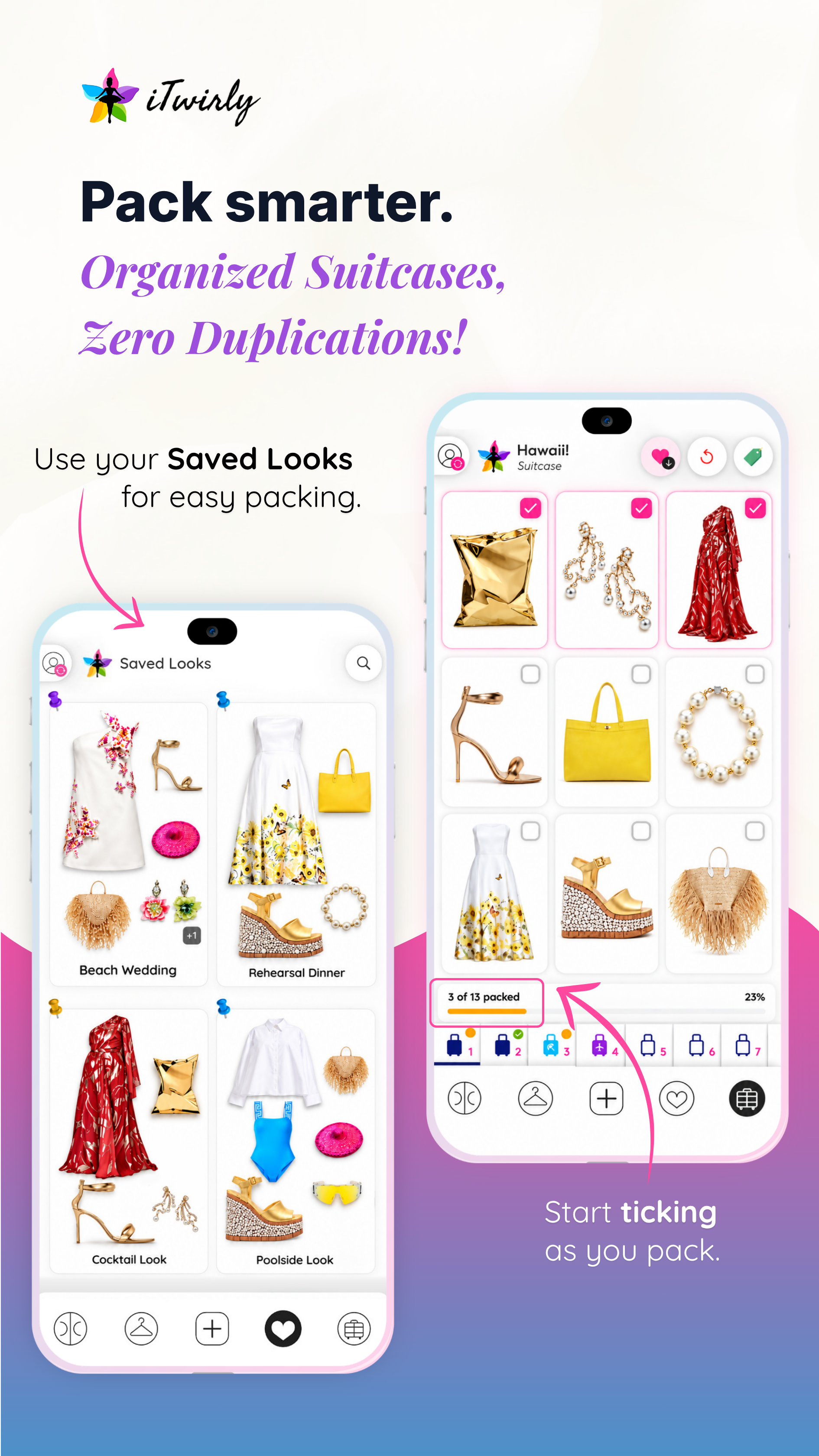
Add saved looks to your virtual suitcase in one click. Shared boots across two looks? Listed once. Always perfectly packed.
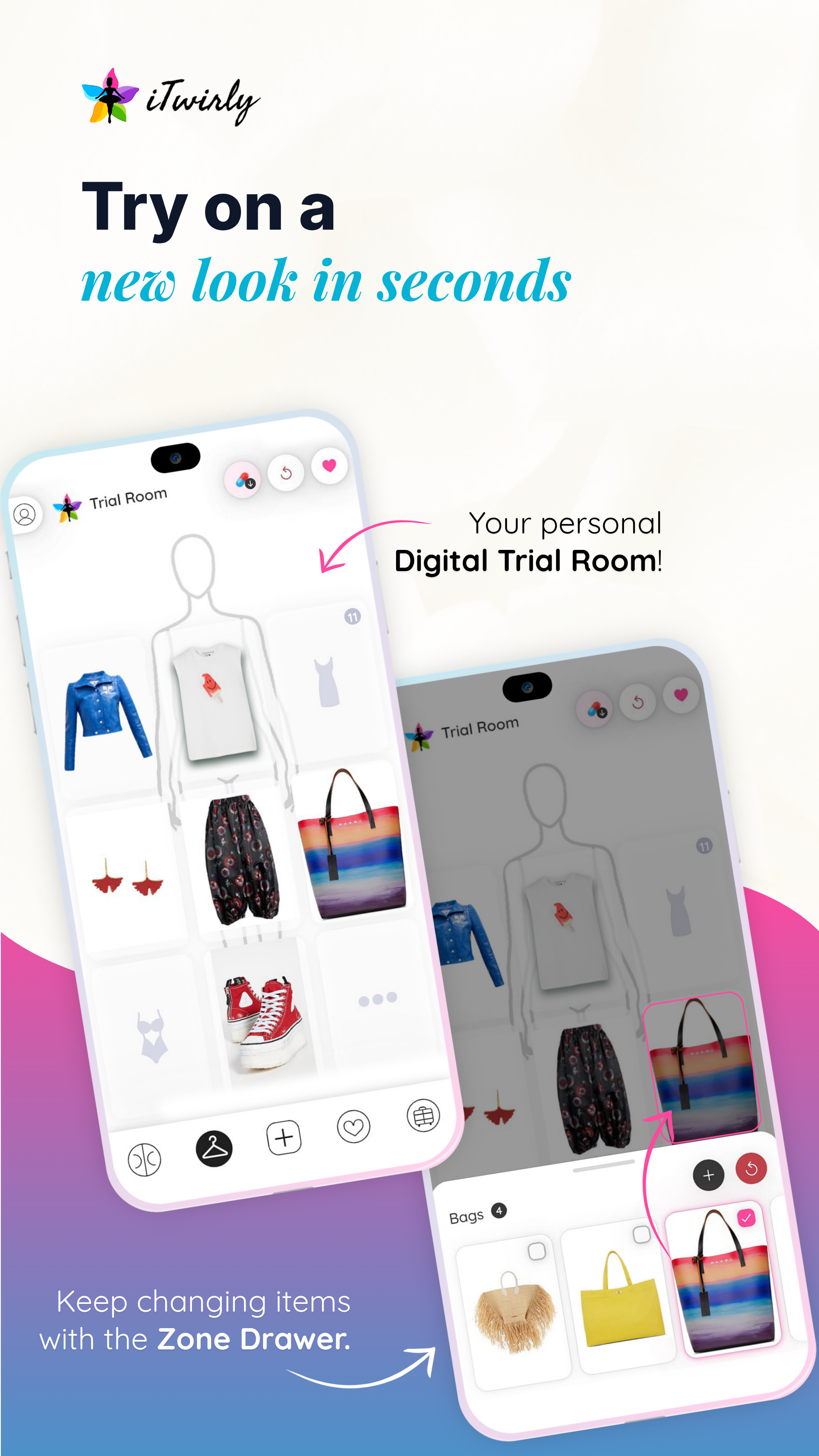
Tap on any slot to add pieces from your closet and start creating looks. Mix, match, and save your favorite outfits before you ever open your wardrobe.
Whenever you create a look you love, save it with one tap. Tag it "island wedding cocktail" or "next work week" — your future self will thank you.
Add your saved looks to a virtual suitcase with one click. If two looks share the same boots, it lists them once. Pack perfectly, every time.
Style several different looks for a big interview or event and choose your favorite. You'll never have a missing piece that ruins an outfit again.
Love what you built in the Trial Room? Save it with one tap and build a smart suitcase that packs itself — no duplicates, no forgotten pieces.
Tag a look "rehearsal dinner" or "work Monday" — and find it again in seconds when you need it.
Add saved looks to a virtual suitcase. If two looks share the same boots, it only lists them once.
Your complete packing list, generated from your outfits. Travel light, look great.
Whether you bought it decades ago or five minutes ago — getting it into iTwirly takes seconds, not effort.
Link the email accounts your shopping receipts come to. When a purchase confirmation arrives, iTwirly automatically pulls in every detail — brand, size, color — and files it away. No forwarding, no manual entry.
Browsing any fashion retailer? Open your order history, click the iTwirly icon, and watch it scan the page and stream every item directly into your digital closet — without ever opening the app.
No receipt, no website — no problem. Take a photo of any item on its own, give it a name, and it joins your closet in one or two taps. Old vintage finds belong here too.
Search for "iTwirly Fashion Assistant" on the Chrome Web Store, or click the button above to go directly.
Click the iTwirly icon on your Chrome toolbar and sign in to connect the extension to your iTwirly closet.
Head to your favourite clothing sites, open your order history, and click the iTwirly icon. Your purchases stream in automatically.
Rediscover old favorites and mix them with new pieces for endless style possibilities. Just give us a twirl!
You can add items in three easy ways:
Processing larger inboxes takes a bit more time, as we carefully filter for clothing and accessory items only.
You can connect up to 3 email accounts (such as Gmail or Outlook) that you use for shopping.
When you connect an email account, iTwirly scans your order confirmation emails from the last 12 months.
iTwirly is strictly limited to reading order confirmation emails for clothing and accessories. Our system does not have permission to access your broader inbox, financial data, or sensitive personal account details.
In rare cases, iTwirly can miss shopping order emails. Only emails with English subjects are scanned for order confirmations. You can always add missed clothes or accessories using alternative methods such as the browser extension or photo upload.
iTwirly automatically syncs your connected email inboxes in the background every 5 minutes. You can also trigger an instant sync anytime from Profile > Sync by clicking "Tap to sync now" (with a 2 minute cooldown between manual syncs).
When browsing online apparel stores on your laptop or desktop computer, the iTwirly Chrome extension lets you capture product details and photos directly into your closet with one click.
Yes! Tap on any item, tap the edit action bar to go in edit mode and update its details or remove it from your closet.
You can upload up to 3 photos per item (e.g. front view, back view, fabric texture, or styling tags) to keep your digital closet detailed and visual.
You can search by piece name, brand, tag, or category keywords. The color filter uses smart color proximity matching, helping you find matching shades and complementary tones even if exact color names vary across brands.
Yes! In item edit mode you can add custom tags (e.g., #Work, #Casual, #Favorites) for quick filtering. You can also adjust category card sizes and sort products by recently added, brand, or color.
Capsule collections are curated subsets of categories or styles (such as "Workwear", "Summer Essentials", or "Weekend Getaway"). You can organize your pieces into capsules and load an entire collection into the Trial Room with a single tap.
The Trial Room is a virtual dressing room where you can mix and match tops, bottoms, outerwear, shoes, and accessories across categories. You can create and save complete looks to review later anytime and seamlessly use them for packing in your trip suitcases.
The Trial Room is designed for visually styling and layering outfits, so only items that have photos are available to load. If an item is missing an image, tap the piece in your closet, enter edit mode, and add a photo.
You can load up to 10 items simultaneously in the Trial Room to build complete, layered outfits.
Once you create an outfit combination you love in the Trial Room, tap the "Save Look" icon in the action bar. Your look will be saved under 'Saved Looks' so you can re-wear it or add it to a suitcase anytime.
Suitcases allow you to plan packing for trips and vacations. You can create a suitcase, assign Saved Looks and loose pieces to it, and track what is packed versus what still needs to be packed with an interactive checklist.
Yes! Your closet items, photos, and saved looks are cached locally on your device so you can browse your wardrobe and check your packing lists even without an internet connection. Changes sync automatically when you reconnect.
Send us a message and our support team will get back to you shortly. Your registered email address will be attached automatically.
Contact Support